Stall booking, exhibitor applications and visitor passes for expos
Sell booths by size with strict stock limits, screen exhibitors before you allot space, sell sponsorships and register visitors with a QR badge — all on one expo page.
Why switch to KwikUp for expos & trade shows?
Compare the friction of traditional multi-tool setups with our all-in-one engine.
The Traditional Setup
Fragmented tools & manual delays- Booths sold twice because the stall chart lives in someone’s notebook.
- Exhibitor details, GST numbers and power needs chased over phone calls.
- Visitor registrations with no badge and no count at the door.
With KwikUp
Automated • Real-time UPI • Zero Drops- Booths that can’t be oversold: Each booth type has a fixed stock; it closes the moment the last one is booked.
- Exhibitor screening: Collect GSTIN, products and power needs before you confirm a booth.
- Sponsorship packages: Sell sponsorship tiers online with their benefits and limited slots.
- Visitor badges: Every visitor gets a QR badge; see footfall per day.
Live in minutes, from start to payout
- 01Step 1
List your booths
Booth types by size and price, each with a fixed number available.
- 02Step 2
Take exhibitor applications
Company, GSTIN, products and power needs — approve before allotting a booth.
- 03Step 3
Sell sponsorships
Title, gold and silver packages with their benefits and limited slots.
- 04Step 4
Register visitors
Free or paid visitor passes with a QR badge scanned at the entrance.
The Complete Event Ticketing & Gate Lifecycle
From publishing your event page to live gate QR scanning and next-day bank payouts. Every stage is automated end-to-end with zero manual intervention required.
Launch & Configure
Define VIP/Early Bird tiers, seat limits, bundle sub-events, or generate an AI-powered custom registration page.
Attendee Checkout
Attendees choose tickets, input guest names, and verify their contact via 6-digit OTP to guarantee pass delivery.
Instant Payment
Instant UPI / Card checkout with webhook auto-reconciliation and automated reminder recovery for pending attempts.
Digital Pass Delivery
Attendees receive dynamic QR passes on screen, in email, and can download high-resolution offline printable PDFs.
Gate Scanning & Payouts
Staff scan QR passes using camera phones with duplicate detection; earnings settle to your bank account automatically.
Built for high volume with automated bank recovery
Every workflow features real-time bank webhook reconciliation, idempotency locks, automated abandoned checkout recovery, and instant self-serve pass retrieval.
Start with a proven template
1-click deployment for expos & trade shows — fully customizable in the builder.

What expos & trade shows and their attendees see
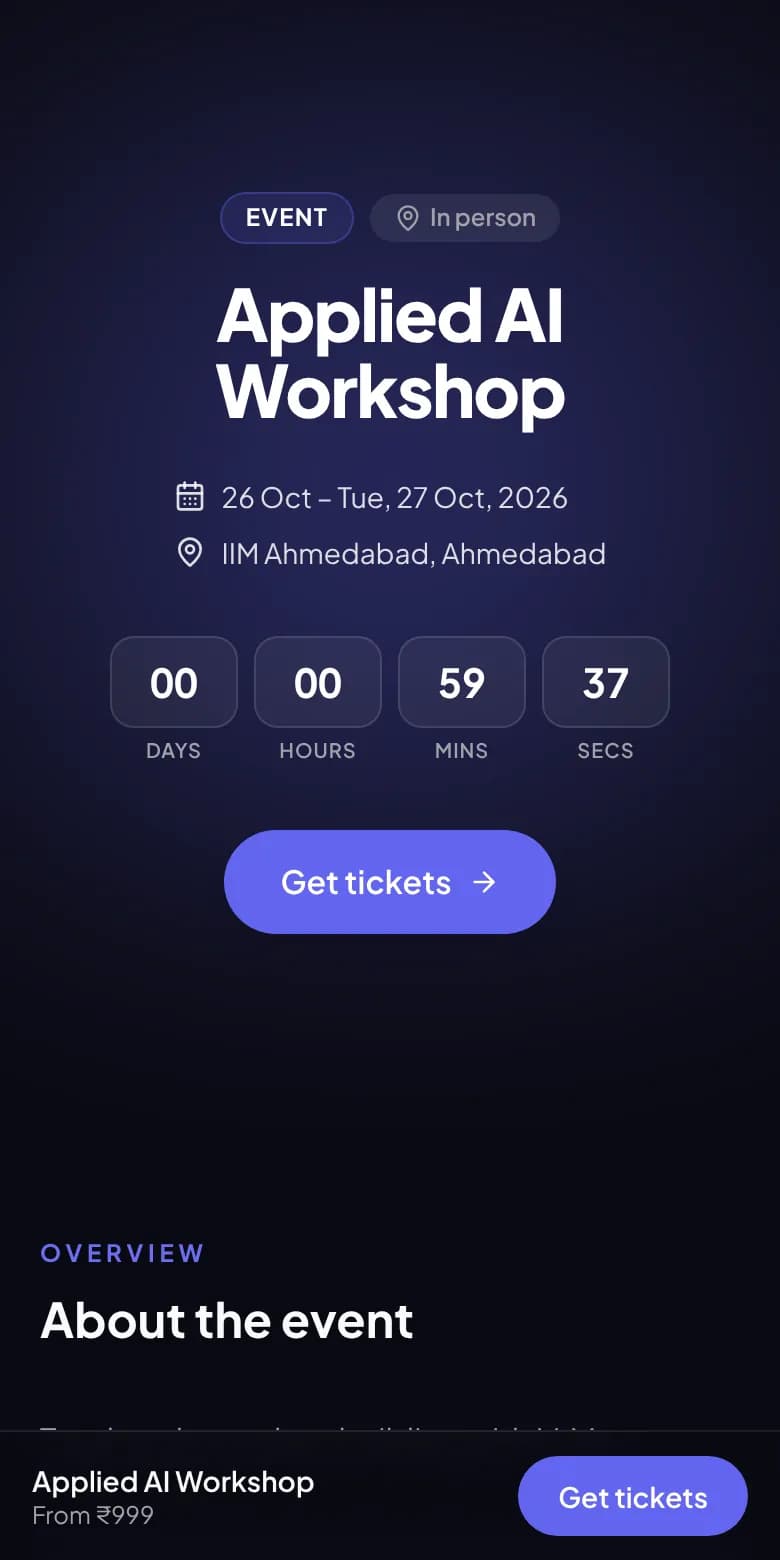
Your event page
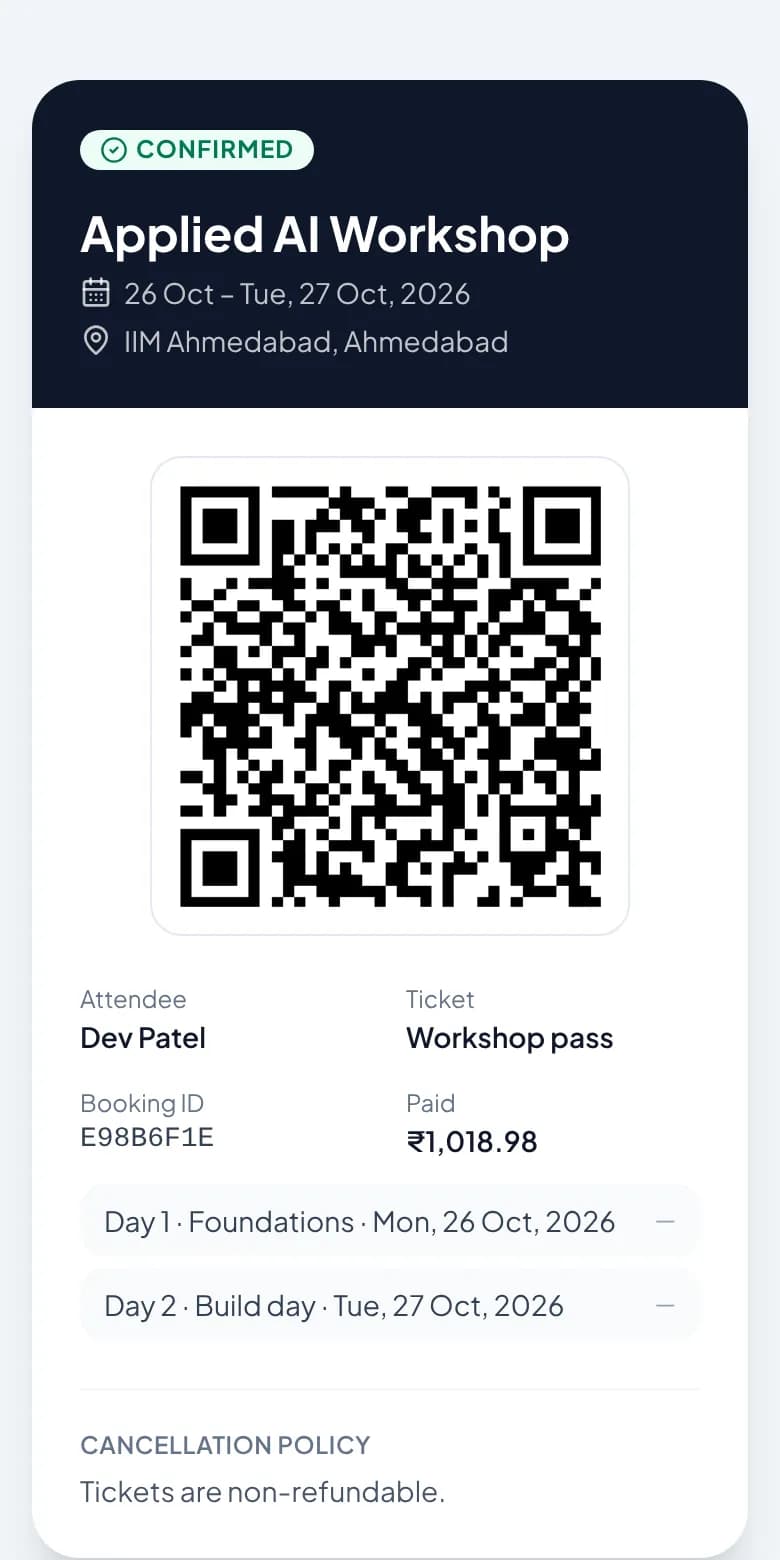
QR ticket for every attendee
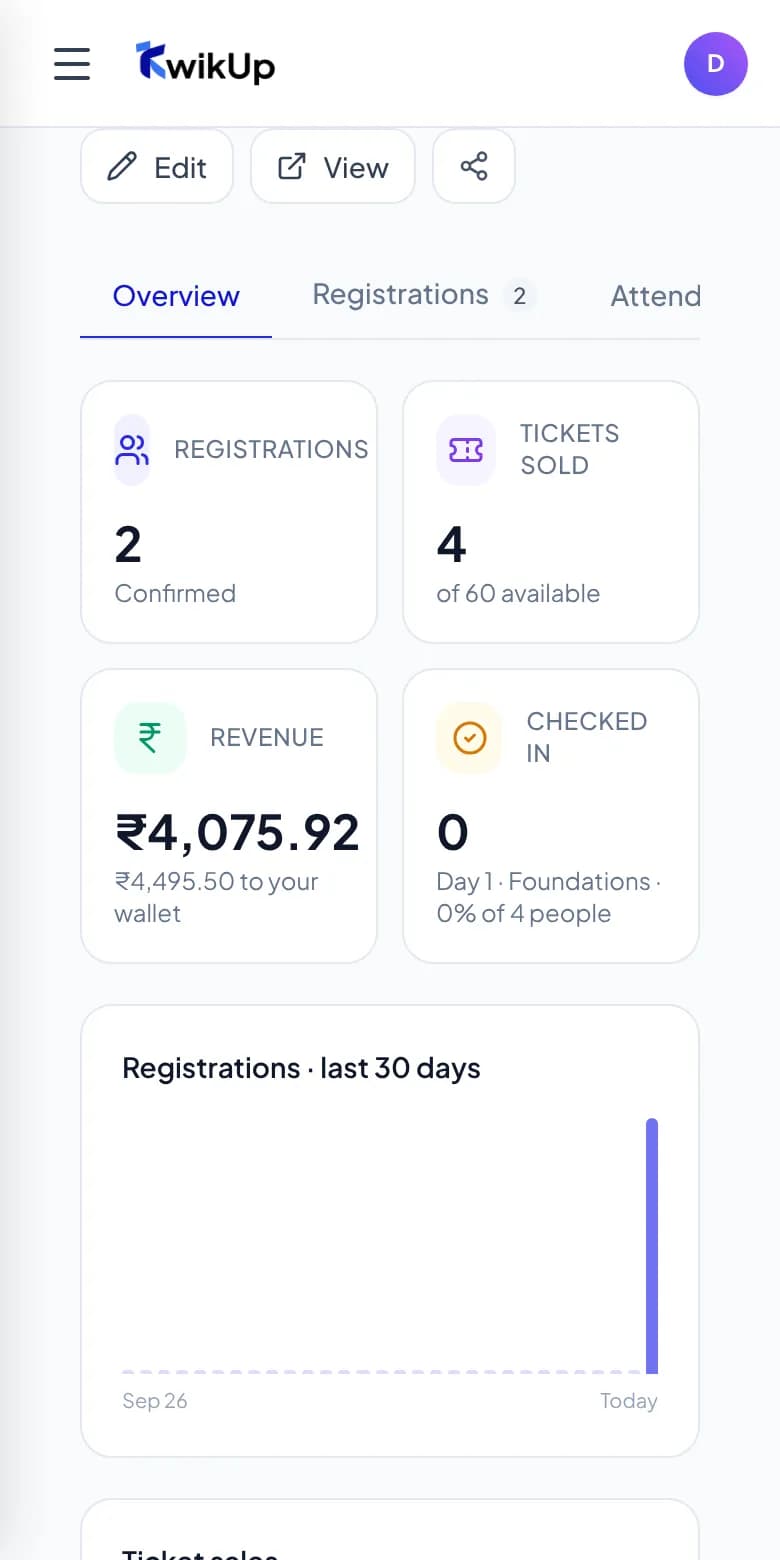
Registrations, money and check-ins
What it costs
Free to create and test. When you sell paid tickets or bookings, a managed commission (2%–10%) applies per successful transaction — zero monthly subscriptions, zero separate gateway fees.
Explore Complete Pricing ModelNet Creator Payout
₹4,84,500
- Per standard booth to you
- ₹8,075
- Managed platform commission (5% · 2%–10% range)
- ₹425 each
- Attendee checkout price (incl. convenience fee)
- ₹8,670
Custom solution for expos & trade shows
Prefer not to configure questions and pricing yourself? Our engineering team designs the complete custom workflow, sets up custom domains, and provides live event day support.
Your custom deployment includes:
- Expo website with booth map, exhibitors and sponsors
- Booth booking by size with strict stock limits
- Exhibitor applications and sponsorship packages
- Visitor registration with QR badges and footfall reports
- Your own domain with HTTPS
- Design in your brand — logo, colours, photos
- Set up and tested by our team, with launch support on WhatsApp
Direct WhatsApp contact +91 95745 10371 • Transparent quote before launch
- 01Tell us what you needA short WhatsApp chat about your business, your customers and how you work today.
- 02We design & buildYour website, booking or application flow, payments and dashboard — on your own domain, in your brand.
- 03Review & launchYou try everything, we refine it together, then go live and share your link.
- 04We stay with youChanges, new pages and seasonal updates whenever you need them — just message us.
Frequently Asked Questions
Common questions about launching expos & trade shows pages on KwikUp.
Can booths have different sizes and prices?+
Yes. Add a booth type per size — standard, corner, food stall — each with its own price and number available.
Can we approve exhibitors before they pay?+
Yes. Use the exhibitor application form to screen them, then share the booth booking link with approved exhibitors.
Do exhibitors get a GST invoice?+
Collect their GSTIN on the form and export it with the payments to raise invoices from your accounts.
Is visitor registration free?+
It can be. Free visitor passes have no commission; a commission applies only to paid passes and booths.
Category: Events & Ticketing
Related Events & Ticketing Workflows
Ready to launch your expos & trade shows page?
Start with a ready-made template or let our AI generator draft your questions. Free to start — collect responses in minutes.